Log in to APSEA
- Go to https://apsea.uga.edu/.
- Select the “Create or Change an Activity” link or button.
- Log into APSEA with your UGA MyID and Password.
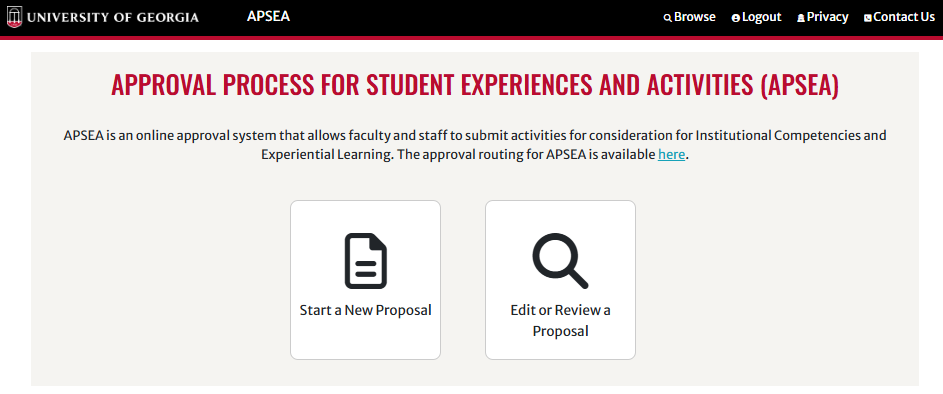
Start a New Proposal
- Select the “Start a New Proposal” button.
Complete the Activity Info Tab
- Select the appropriate radio button for “Academic Unit” or “Non-Academic Unit”, then choose your unit from the dropdown.
- Enter the title of your activity as it should be displayed for students.
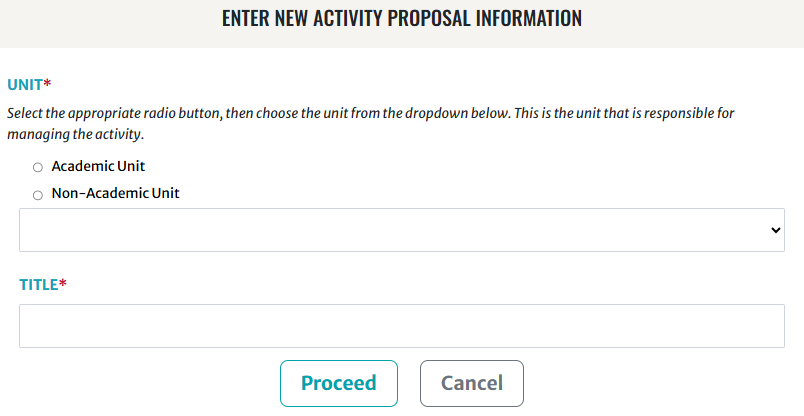
- Click the “Proceed” button.
Complete each required field on the “1. Activity Info” tab.

Student Learning Outcomes
On the “2. Student Learning Outcomes” tab, provide the Student Learning Outcome(s) (SLOs) for your activity. Student Learning Outcomes are required to submit the activity.

- Use the “+” button found beneath each SLO text field to add a new text field for additional SLOs.
- Each distinct SLO should appear in a separate text field.
- Tips for writing SLOs can be found on the Office of Instruction website.


Writing SLOs for Institutional Competencies
If your activity will be submitted for one or more ICs, the IC Subcommittee offers the following guidance for writing effective SLOs. Consider that the activity SLOs and description will be presented in the Comprehensive Learner Record (CLR) for students and employers to view.
- The activity SLOs should include evidence of how the mapped ICs are attained and acquired, and how the activity promotes the ICs.
- Using active verbs and words such as “by” or “through” can help show how students will acquire the mapped ICs through the activity.
- The activity SLOs should include activity-specific content and evidence that supports students in achieving the outcomes of the IC.
- ICs mapped to an activity should be incorporated and achieved explicitly and directly through that activity.
- The activity SLOs should be student-centered and incorporate language that focuses on the students.
- The activity SLOs should be free of jargon, discipline-specific terms, and abbreviations that those not in the activity will not understand. If these terms are necessary, further explanation and/or definitions should be provided.
The activity SLOs should detail:
- What will make a student successful in their acquisition of the mapped ICs
- Methods of assessment and feedback that will be incorporated, and any opportunities for improvement over time
The activity SLOs should incorporate specific language from the relevant ICs and IC Learning Outcomes without simply restating the ICs.
Per-Competency Guidance
Review the guidance below for any ICs you plan to map to your activity, and write your SLOs accordingly.
Critical Thinking
Activities submitted for the Critical Thinking IC should focus on and help develop the following skills for students:
- Evaluating information to make reasoned judgments
- Questioning assumptions and considering different perspectives
- Assessing the validity of analytical findings
Analytical Thinking
Activities submitted for the Analytical Thinking IC should focus on and help develop the following skills for students:
- Breaking down information into parts to understand its structure
- Identifying patterns, drawing conclusions based on evidence, and solving problems by interpreting data
Many Analytical Thinking activities will include a quantitative reasoning process (e.g., the Scientific Method).
Some Analytical Thinking activities will include the application of methods or theory to problems in the discipline.
Communication
Activities submitted for the Communication IC should focus on achieving the competency through an iterative process, and include stated opportunities for feedback, corrections, and improvement over time.
Social Awareness & Responsibility
Activities submitted for the Social Awareness and Responsibility IC should demonstrate how they help students understand that the world does not revolve around them and give them an awareness of other people and how they, as individuals, are situated within and impact other people, communities, and environments.
These activities should also be a contemporary application of the concepts, not simply a study of the history of the concepts.
Creativity & Innovation
Activities submitted for the Creativity and Innovation IC should demonstrate that creativity and innovation is a process, ending with a new or original project or product.
Leadership & Collaboration
Activities submitted for the Leadership and Collaboration IC should focus both on learning about leadership and collaboration and allowing students the opportunity to actively lead and collaborate, improving these skills throughout the activity’s completion through feedback.
Experiential Learning (EL) Tab Optional
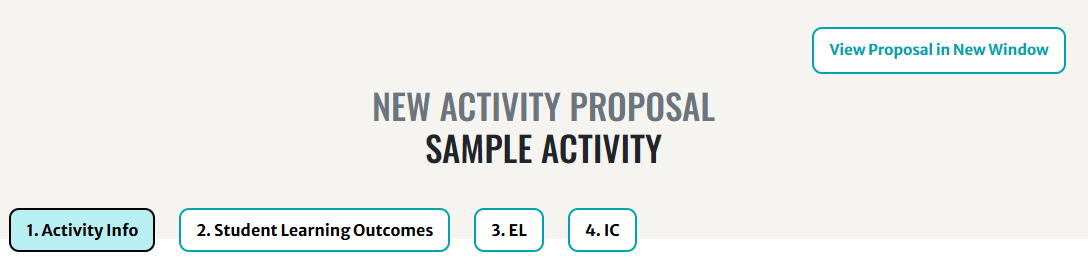
- On the “3. EL” tab, select the radio button of the EL Area that best fits your activity. Only one EL Area can be selected.
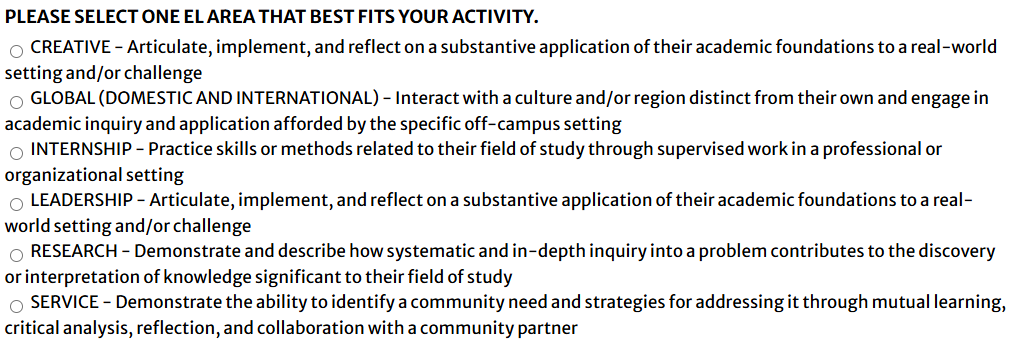
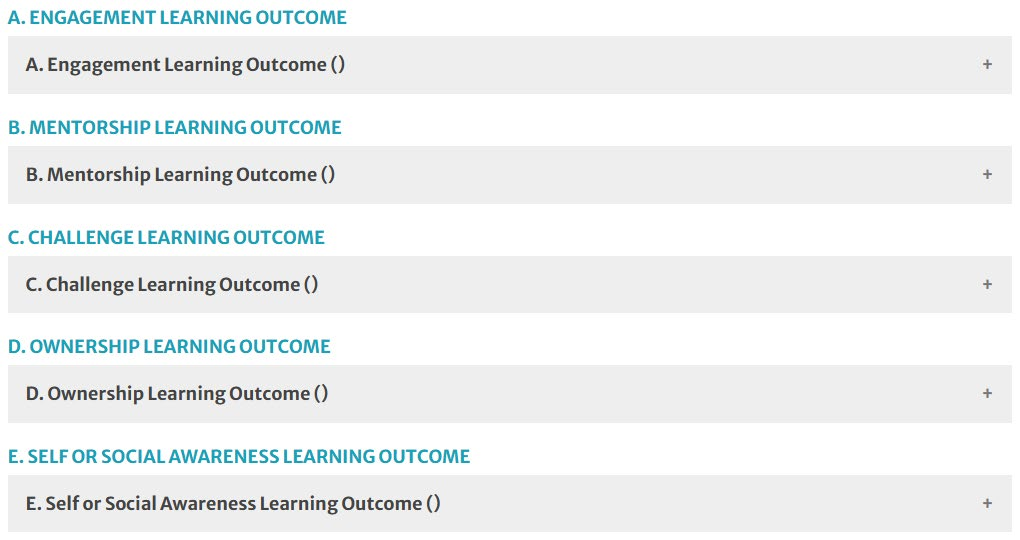
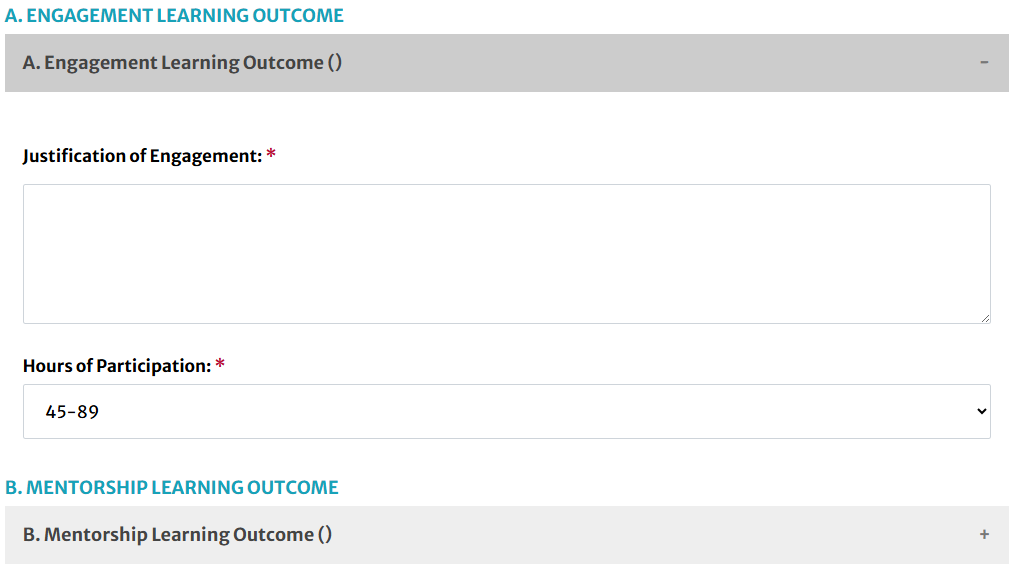
Once an EL Area has been selected, complete the EL Learning Outcome sections with the relevant information for the proposed activity:
Engagement
Learning Outcome
Mentorship
Learning Outcome
Challenge
Learning Outcome
Ownership
Learning Outcome
Self or Social Awareness
Learning Outcome
For more information on Experiential Learning, visit the Experiential Learning Rubric.
Institutional Competency (IC) Tab Optional
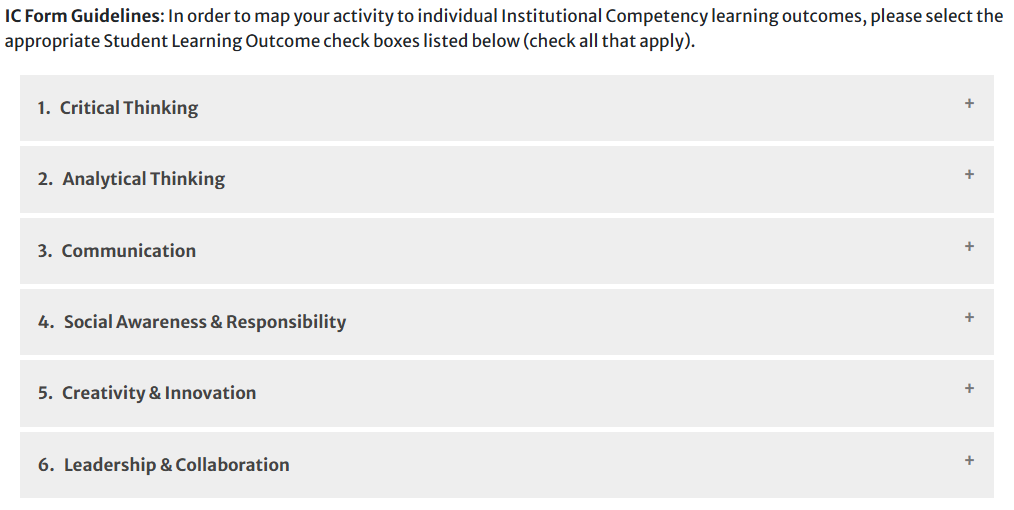
On the “4. IC” tab, expand the section of any Institutional Competencies that are applicable to the activity. The Institutional Competencies include:
Critical Thinking
Analytical Thinking
Communication
Social Awareness & Responsibility
Creativity & Innovation
Leadership & Collaboration

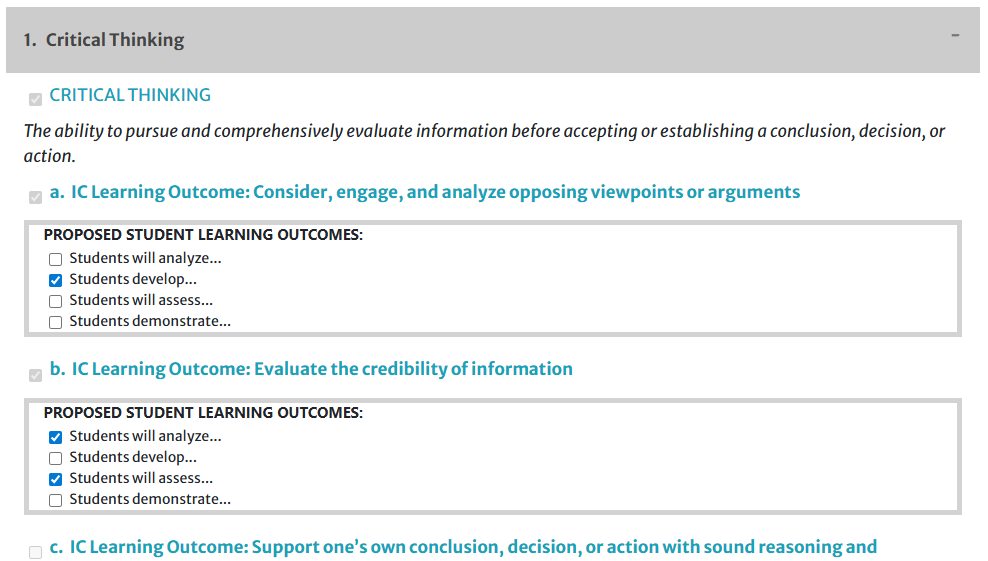
Within the relevant IC section(s), view the Student Learning Outcomes that have populated from the “2. Student Learning Outcomes” tab. Select the check boxes next to any SLOs that meet the relevant Learning Outcomes of the expanded IC.
Preview or Share
- To display a preview of the activity proposal in a new window (without text boxes, printable), click the “View Proposal in New Window” button at the top right of the proposal page.
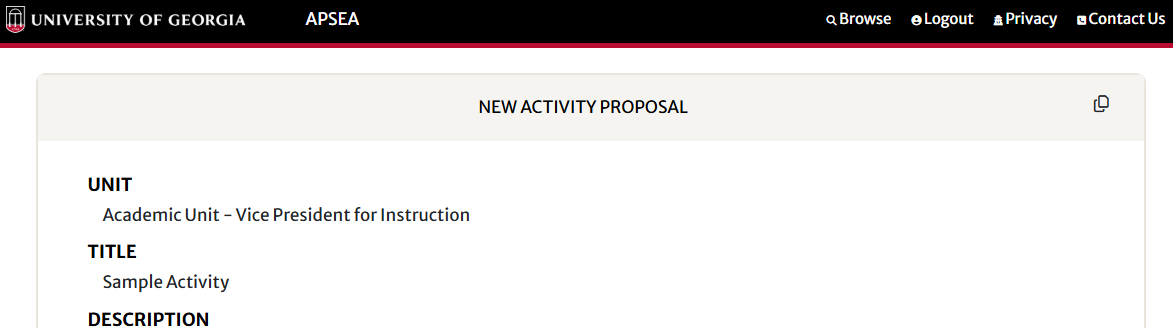
- To copy a link to the preview of the activity proposal, click the icon in the top right corner of the preview page.
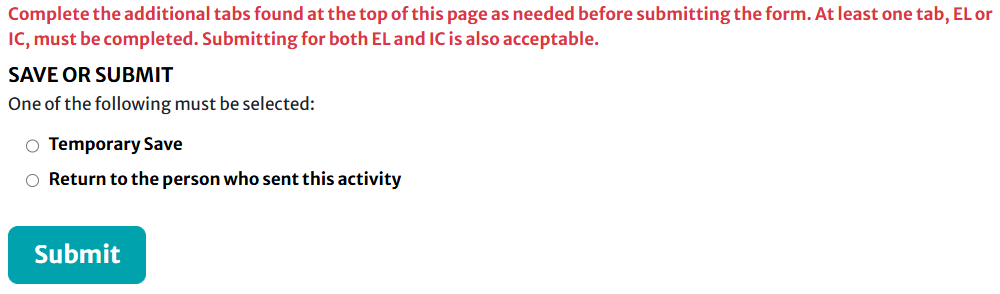
Save or Submit
- Navigate to the bottom of the proposal page.
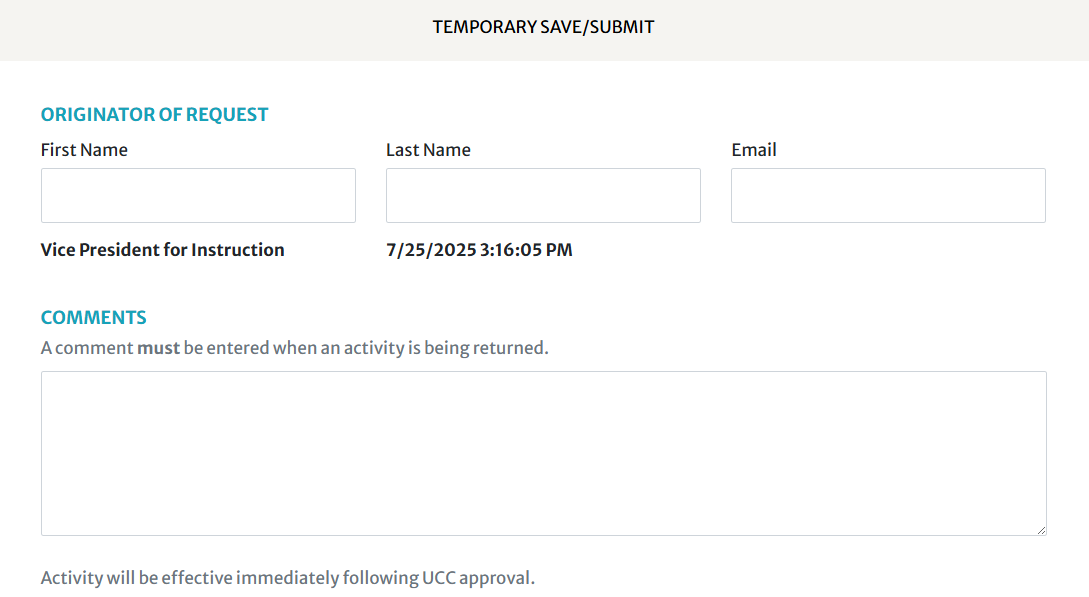
- Complete the “Originator of Request” fields with the information of the person completing the activity proposal form (i.e., the Initiator).
- Add any desired comments for those who will view the proposal later in the review workflow.
To Save for Further Editing
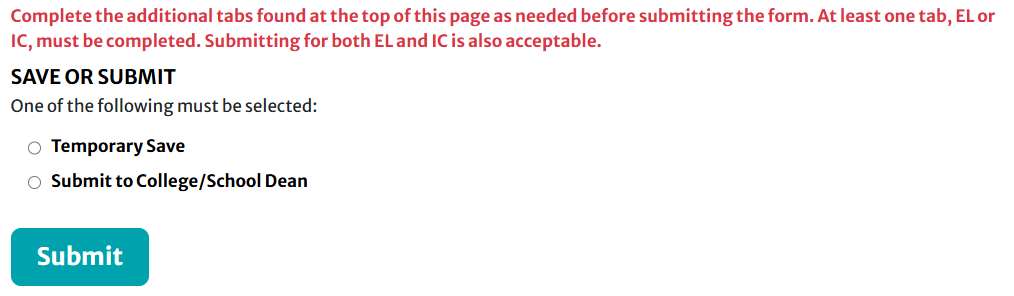
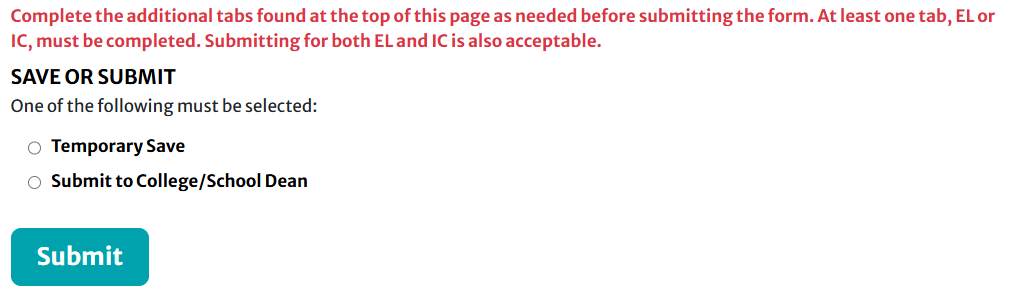
- Select the “Temporary Save” radio button and click the “Submit” button.
To Submit for Review
- Select the “Submit to College/School Dean” or “Submit to VP” button, then click the “Submit” button.
Continue a Saved Proposal
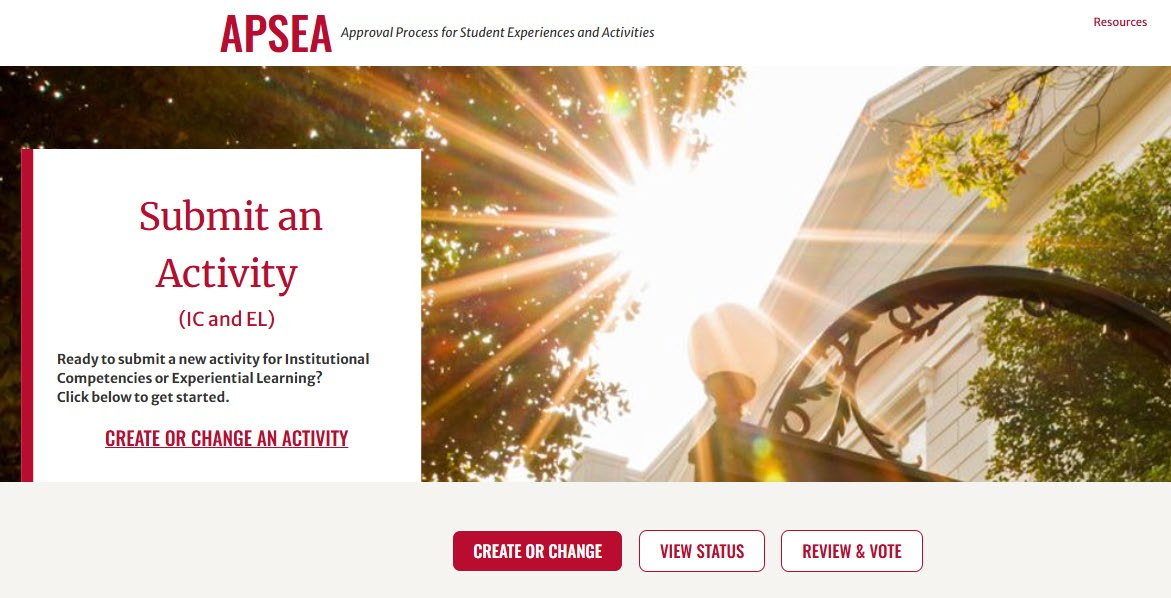
- Go to https://apsea.uga.edu/.
- Select the “Create or Change an Activity” link or button.
- Log into APSEA with your UGA MyID and Password.
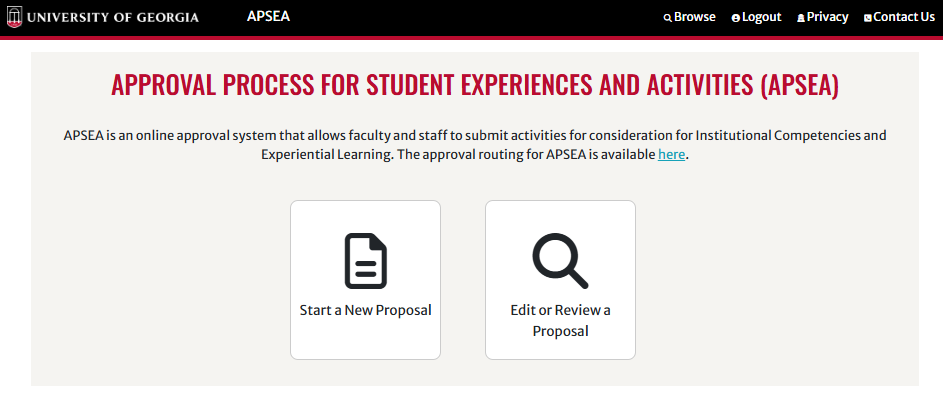
- Select the “Edit or Review a Proposal” button.
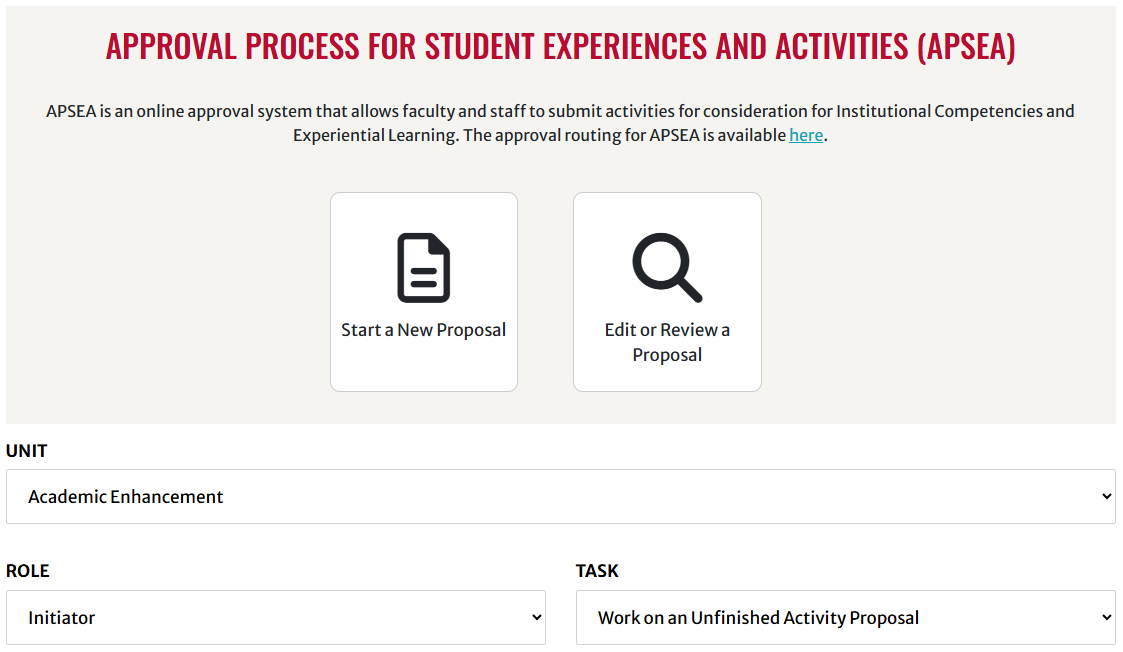
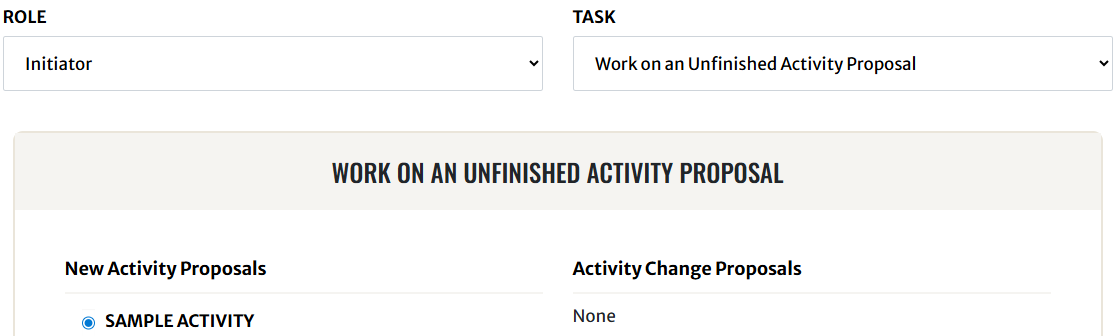
- Select your unit from the “Unit” dropdown.
- Select the “Initiator” role from the “Role” dropdown.
- Select “Work on an Unfinished Activity Proposal” from the “Task” dropdown.
- Select the radio button next to the activity proposal you wish to continue editing, then select the “Proceed” button.
- Continue editing your activity proposal.
Log in to APSEA
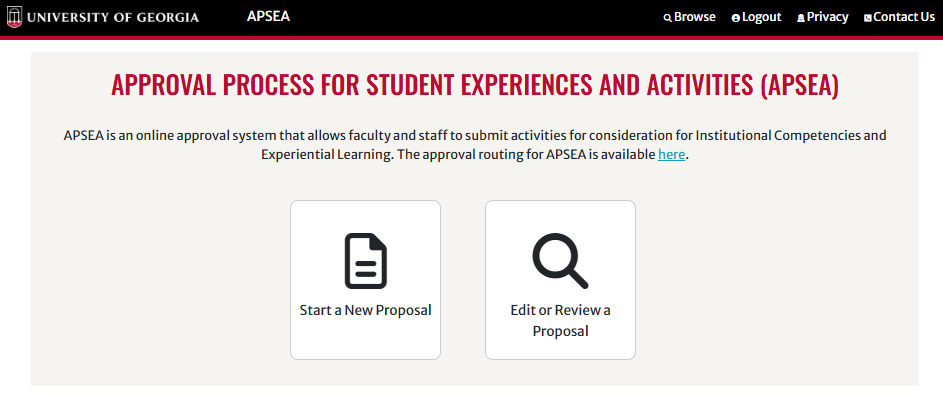
- Go to https://apsea.uga.edu/.
- Select the “Create or Change an Activity” link or button.
- Log into APSEA with your UGA MyID and Password.
Select the Returned Proposal
- Select the “Edit or Review a Proposal” button.
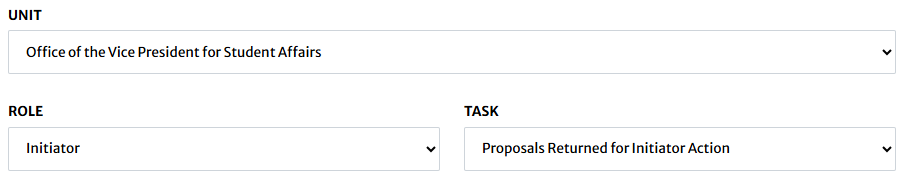
- Select your Unit from the “Unit” dropdown.
- Select the “Initiator” role from the “Role” dropdown.
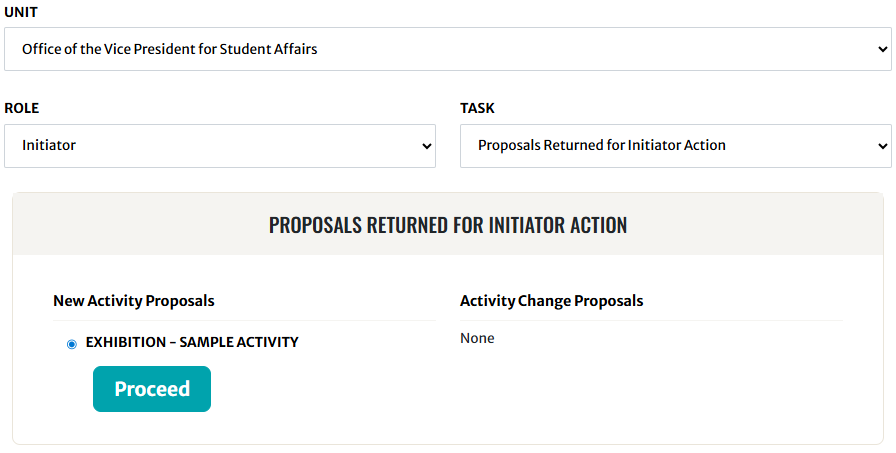
- Select the “Proposals Returned for Initiator Action” option from the “Task” dropdown.
- Select the radio button next to the activity in need of revision, then select the “Proceed” button.
Revise & Resubmit
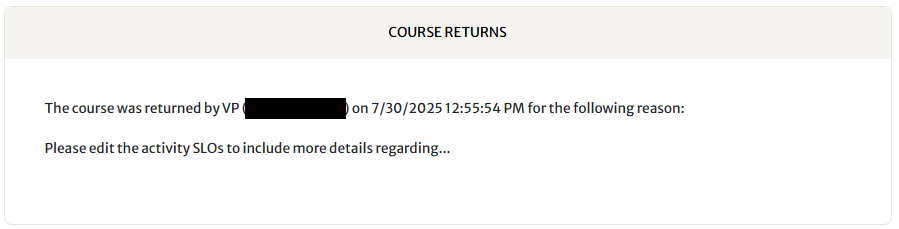
- Review any comments submitted by the user who returned the activity proposal to your level. These comments can be found near the bottom of the proposal page within the “COURSE RETURNS” field.
- Make any necessary revisions to the activity proposal.
- Once you have completed your revisions, navigate to the bottom of the page and select the “Return to the person who sent this activity” button, then select the “Submit” button.