Deadlines to be Effective Spring/Summer 2027
| Deadline | Date |
|---|---|
| Graduate-level courses approved by college | September 29, 2026 |
| Undergraduate-level courses approved by college | October 6, 2026 |
| Graduate-level courses approved by Graduate School | October 6, 2026 |
| UCC Subcommittee approval | October 13, 2026 |
| UCC Executive Committee approval | October 20, 2026 |
| Courses available for scheduling in Banner | By November 4, 2026 |
| Faculty upload syllabi and CV prior to registration | Prior to November 11, 2026 |
| Spring/Summer 2027 registration begins | November 12, 2026 |
Log in to CAPA
- Go to capa.uga.edu
- Click the "Create or Change a Course" link
- Log in with your UGA MyID and Password
Select Your Unit and Role
After logging in, select your unit from the dropdown (e.g., your department), then select your role within that unit (e.g., Department Course Initiator).
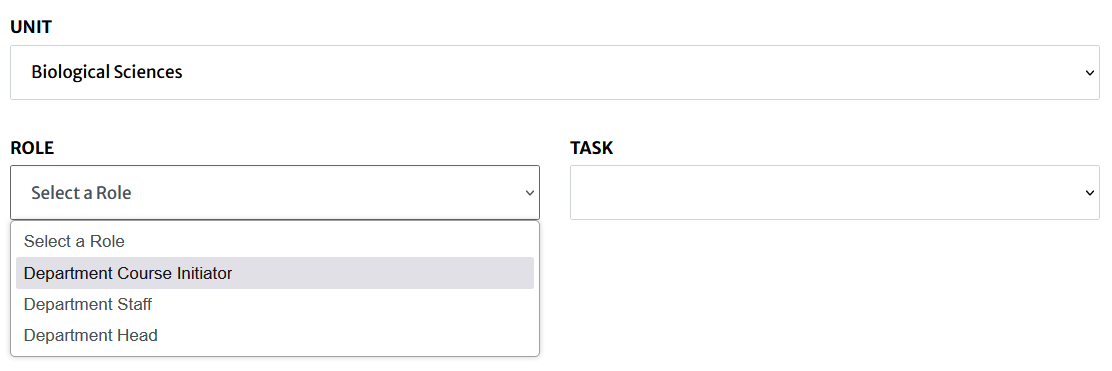
Begin Your Proposal Decision
New Course Proposal
From the Task dropdown, select "Begin a New Course Proposal".
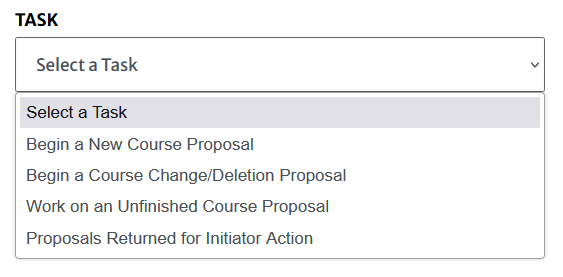
You'll be taken to the Enter New Course Proposal Information screen. Fill in the Course ID fields:
| Field | Description |
|---|---|
| Owning Course Prefix | A four-letter alphabetic code approved by the University Curriculum Committee that designates an area of study. Example: ANTH, ENGL, MATH |
| Number | A four-digit number that reflects the level of the course. May be single level (e.g., ENGL 4000) or split-level (e.g., ENGL 4000/6000). |
| Crosslisted Prefix | Used when two or more prefixes share the same course. First prefix = owning department. Example: CBIO(MIBO). Only the owning department can initiate proposals. Proposals automatically route through crosslisted departments for approval. |
| Course Suffix | An approved letter appended to the course number. Only one suffix per course. Contact capa@uga.edu if more than one is needed. |
Click "Validate New Course ID". If the course ID already exists, you'll be asked to pick another number. After validation, you'll land on the full proposal page with all tabs.
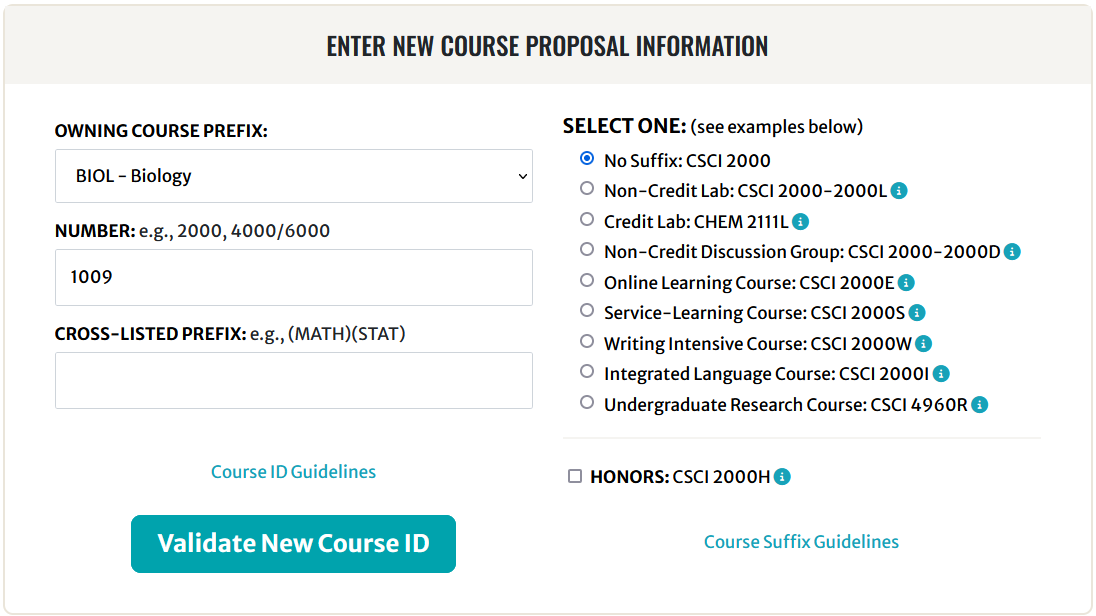
Approved course suffixes
| Suffix | Meaning |
|---|---|
D | Non-Credit Discussion Group |
E | Online Learning Course |
H | Honors Course |
I | Integrated Language Course |
L | Laboratory Course |
R | Undergraduate Research Course (CURO) |
S | Service-Learning Course |
W | Writing Intensive Course |
More info: reg.uga.edu/faculty-governance/course-approval/#suffix
Course numbering guide
| Range | Level |
|---|---|
1000–1999 | First-year and second-year students |
2000–2999 | Mainly second-year; in special instances may be senior division |
3000–3999 | Third- and fourth-year students |
4000–5999 | Third- and fourth-year students |
6000–6999 | Fundamental knowledge (graduate) |
7000–7999 | Technique and professional courses (graduate), except 7000 (Master's Research) and 7300 (Master's Thesis) |
8000–9999 | Advanced graduate courses and seminars, except 9000 (Doctoral Research) and 9300 (Doctoral Dissertation) |
Reserved numbers:
4960R, 4970R, 4980R— Undergraduate Research4990R— Undergraduate Research Thesis7000— Master's Research ·7005— Graduate Student Seminar ·7300— Master's Thesis9000— Doctoral Research ·9005— Doctoral Graduate Student Seminar ·9300— Doctoral Dissertation
Course Change Proposal
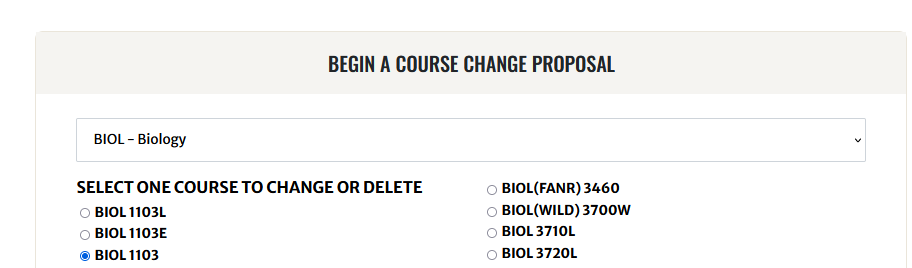
From the Task dropdown, select "Begin a Course Change/Deletion Proposal".
Choose the relevant course from the list beneath the selected prefix, then click "Begin Proposal".
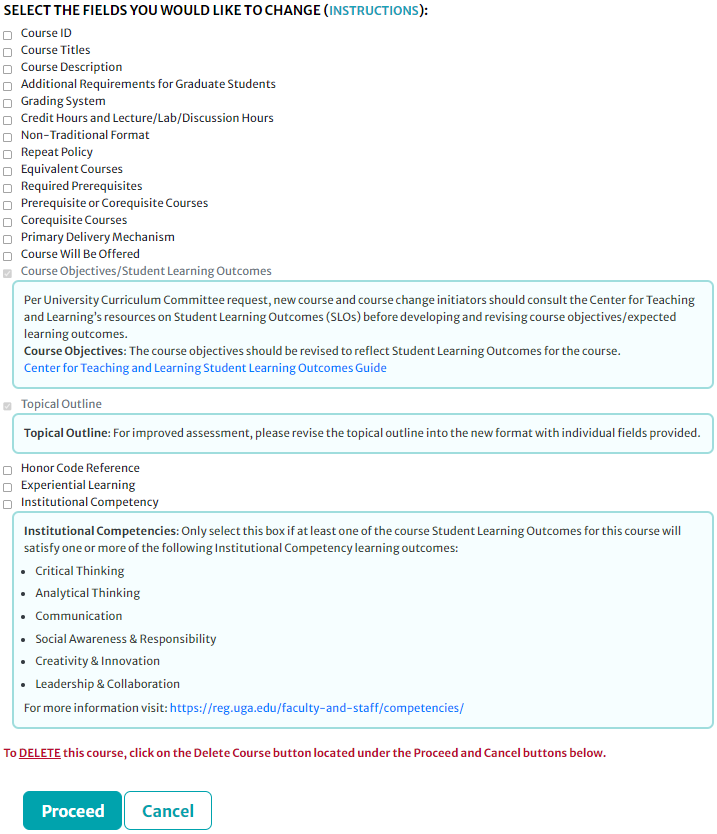
You'll see the "Select the Fields You Would Like to Change" screen. Check only the fields you need to modify, then click "Proceed". You will only be able to edit the fields you checked.
Titles
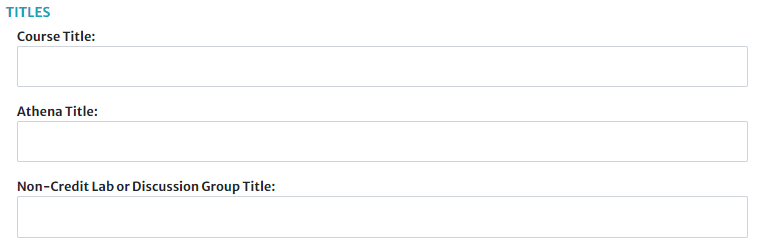
| Field | Description |
|---|---|
| Course Title | Title as it will appear in the University Bulletin. Limited to 100 characters. Should be descriptive and reasonable in length. Example: Introduction to Computing and Programming |
| Athena Title | Title in Athena, Schedule of Classes, and transcripts. Limited to 30 characters. Example: Intro Computing and Program |
| Non-Credit Lab/Discussion Title | Only if applicable. Limited to 30 characters. Also appears in Athena, Schedule of Classes, and transcripts. Example: Intro Computing Program Lab |
Course Description

For use in the University Bulletin and Athena. Must not exceed 50 words. Should briefly describe the content of the course.
Guidelines for writing course descriptions
- Identify the content of the course, not the procedure for teaching or studying.
- Do not begin with the course title or phrases like "The course," "This course," "The students," or "The instructor."
- If the course number or title already indicates level/difficulty, do not repeat with words like introductory, basic, elementary, intermediate, or advanced.
- Avoid highly technical jargon and abbreviations.
- May begin with a sentence fragment. The rest should be complete sentences.
- Be concise — the shortest description will be the clearest.
- Do not repeat information already in the course title.
- Proofread carefully for grammar, diction, spelling, and punctuation.
Sample descriptions for ENGL 4XXX, "Jacobean Drama":
Graduate Requirements

If the course is split level (e.g., ENGL 4000/6000), graduate students will be required to do extra or different work, which must be explained here.
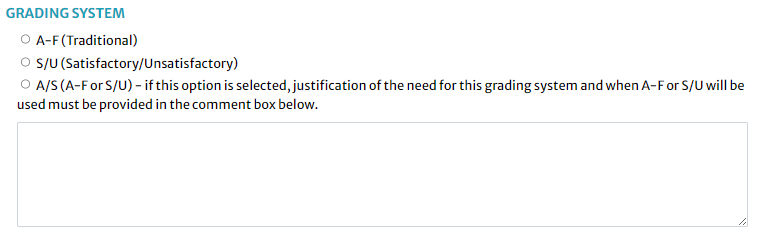
Grading System
| Option | Description |
|---|---|
| A-F (Traditional) | Standard A-F grading scale. |
| S/U | Satisfactory/Unsatisfactory. Generally for dissertation, thesis, student teaching, practicum, internship, and proficiency requirements. |
| A/S (Restricted Differential) | Graduate-level only. Flexibility to offer as A-F or S/U. For seminar and research courses where differential grading is justified. The Grading comment box must clearly state when each system is used. |
Credit Hours & Contact Hours
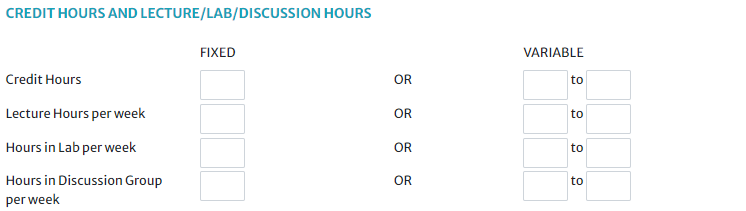
| Field | Description |
|---|---|
| Credit Hours | Standard credits for successful completion. Minimum 750 minutes of instruction per credit hour. |
| Lecture Hours/week | Usually equals credit hours. 1 hour lecture = 1 credit hour. |
| Lab Hours/week | 2 hours lab = 1 credit hour. |
| Discussion Hours/week | 1 hour discussion = 1 credit hour. |
Fixed Credit
Same credit amount every semester.
Variable Credit
Credit-hour range (e.g., 1–3 hours). Restricted to courses tailored to the individual student.
Non-Traditional Format
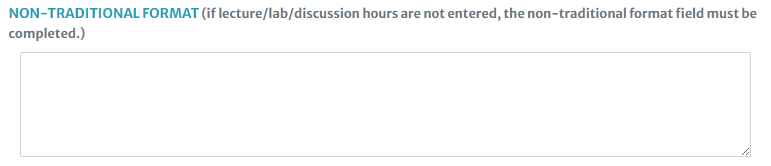
Complete this for courses not in the "traditional" format, or if lecture/lab/discussion hours are fewer than credit hours — justify the difference here.
Repeat Policy

If the course can be repeated for credit, enter the maximum credit hours allowed.
Equivalent Courses

Courses with the same content must be listed as equivalent to each other. Equivalent courses satisfy the same degree requirements.
Prerequisites / Corequisites
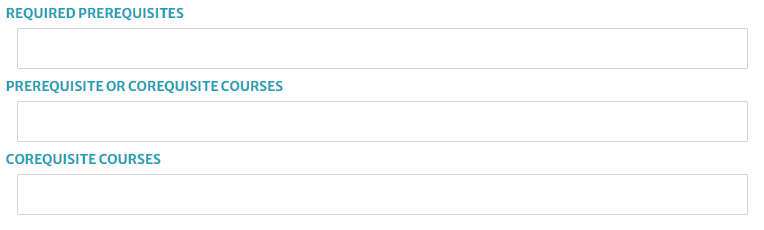
Per UCC policy, prerequisites for courses numbered 3000–5999 must be entered.
Acceptable prerequisite types
- Specific Course IDs (e.g., MATH 2260)
- Permission of Department, Honors, School, or Major
- Specific Prefixes/Levels (e.g., "One 2000-level ENGL course")
- Class Standing (e.g., "4th year student standing")
- Professional Program Statement
- Other — minimum skills, experience, competencies
Split-level courses may have different prerequisites for undergraduate and graduate levels. Include both.
Using brackets for clarity
Required Prerequisite
Must be completed before enrollment.
Pre- or Corequisite
Completed before or taken concurrently.
Corequisite
Must be taken concurrently (same semester).
Primary Delivery Mechanism

The primary instructional format. Only the primary method. This determines the appropriate fees charged to students.
Delivery mechanism options
| Option | Description |
|---|---|
| Lecture | Formal presentation; primarily one-way communication. |
| Seminar | Students carry major preparation responsibility. Group discussion under instructor direction. |
| Internship | Apply knowledge in a supervised situation approximating real conditions. |
| Practicum | Supervised practical application of previously studied theory. |
| Directed Study | Independent work with minimal faculty direction. |
| Student Teaching | Practice educational skills under supervision in preparation for professional teaching. |
| Thesis/Dissertation | Formal treatise embodying results of original research. |
| Supervised Laboratory | Knowledge acquired in a supervised artificial construct of reality. |
| Unsupervised Laboratory | Knowledge/skills acquired through independent lab experiences. |
Course Will Be Offered
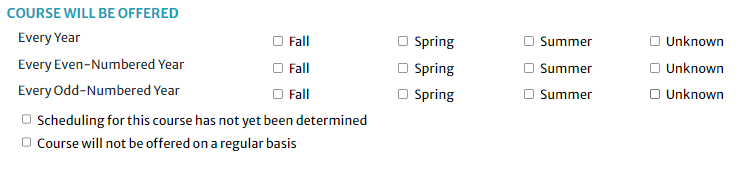
Indicates regularity and semester(s) offered. Appears in the Bulletin and helps students plan.
Syllabus
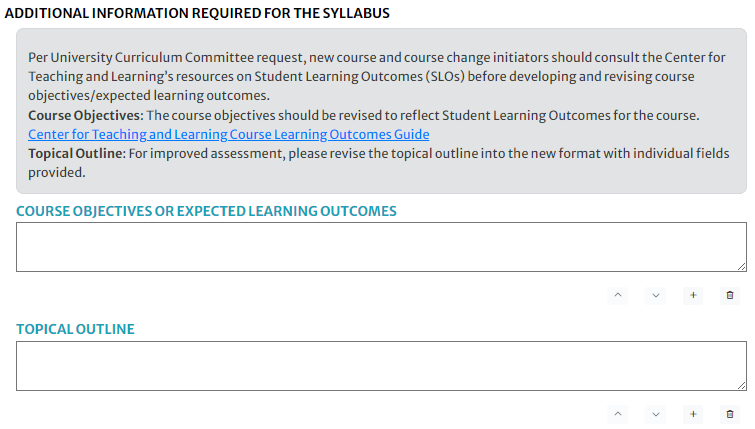
Course Objectives / Expected Learning Outcomes
Describe the intent and desired outcome. What should the successful student be capable of upon completion? Each objective goes in a separate field.
Tips for writing objectives
- Does it describe what the learner will be doing when they reach the objective?
- Does it describe the conditions or restrictions under which they demonstrate competence?
- Does it indicate how they will be evaluated?
Field 2: Students will understand the value of scientific knowledge by applying basic biological concepts to scenarios relating to their own health/wellness or natural communities.
Field 3: Students will be able to analyze and apply scientific information to everyday situations, critically examine information, and solve problems using facts.
Topical Outline
Subjects taught in the course, as they'd appear in a syllabus. Each topic in a separate field.
Field 2: Learning to Read and Evaluate Arguments
Field 3: Ethos, Pathos, and Logos
Field 4: Other Methods for Analyzing Argument
Field 5: Visual Arguments
Honor Code & Academic Honesty
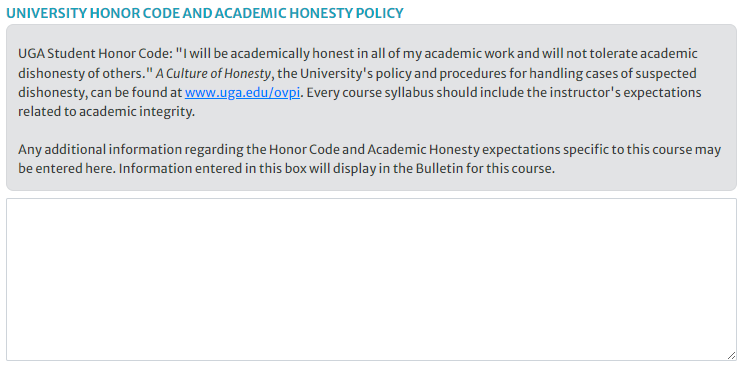
Statement about authorized assistance and the effect of dishonesty on grading. Additional course-specific information is optional.
Experiential Learning If applicable
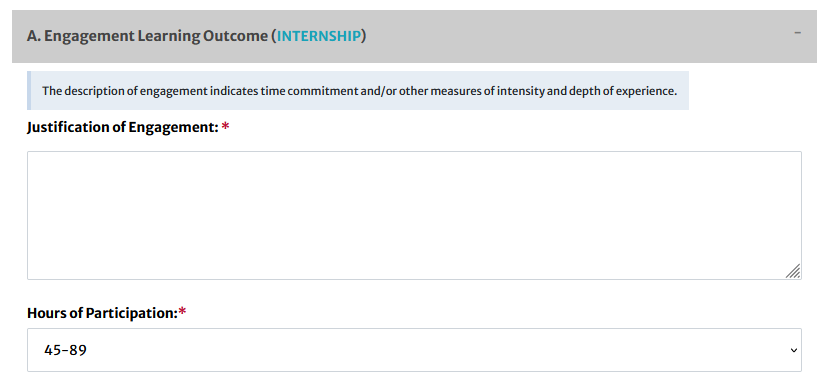
The EL tab aids in approving courses for the Experiential Learning requirement per the UGA Experiential Learning Rubric.
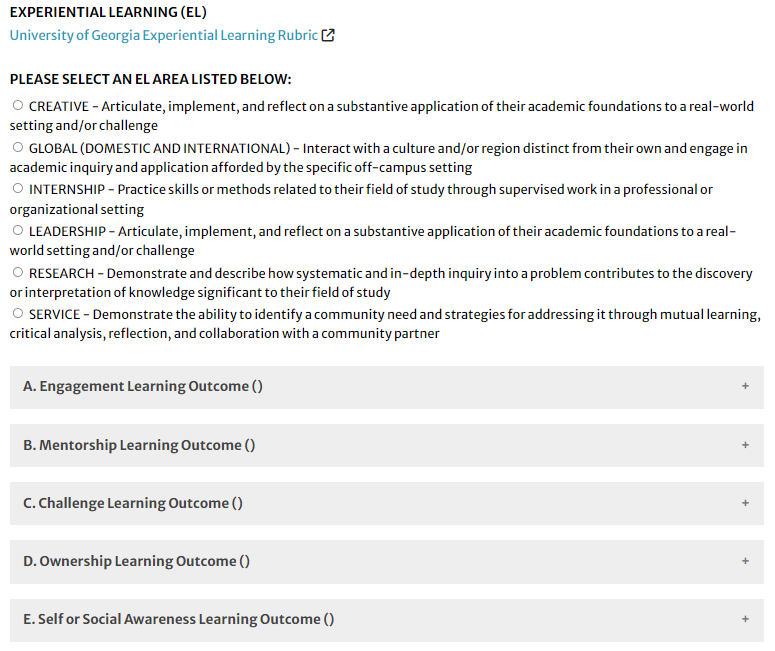
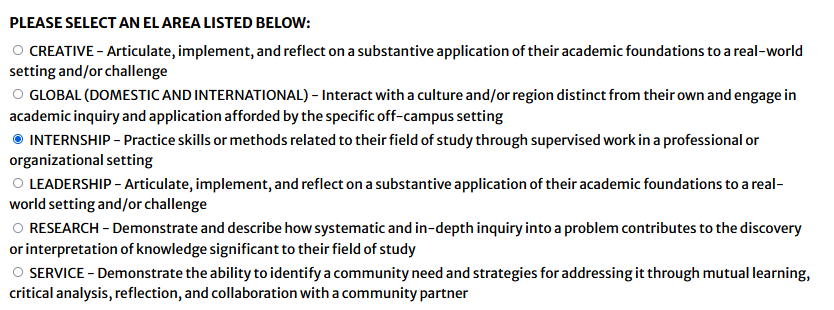
- Select the Experiential Learning Area that best suits the course per the rubric linked at the top of the EL tab. This pre-fills the chosen area into the five Learning Outcomes.
- Complete all five Learning Outcome sections. All required fields are marked with a red asterisk.
The Five EL Learning Outcomes
- Engagement Learning Outcome
- Mentorship Learning Outcome
- Challenge Learning Outcome
- Ownership Learning Outcome
- Self or Social Awareness Learning Outcome
EL Area Selection
Institutional Competency If applicable
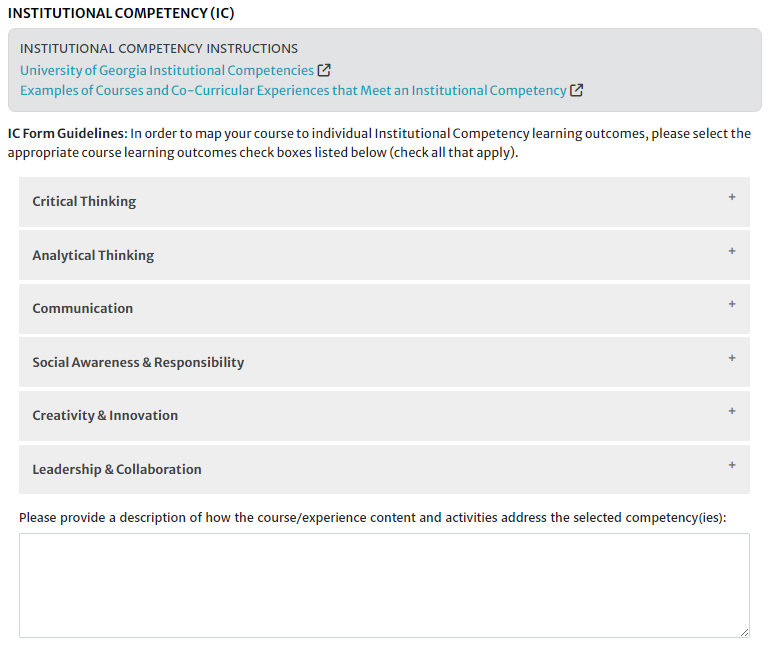
Links to the IC Rubric and course examples are on the IC tab.
The Six Institutional Competencies
Critical Thinking
Analytical Thinking
Communication
Social Awareness & Responsibility
Creativity & Innovation
Leadership & Collaboration
How to Complete the IC Tab
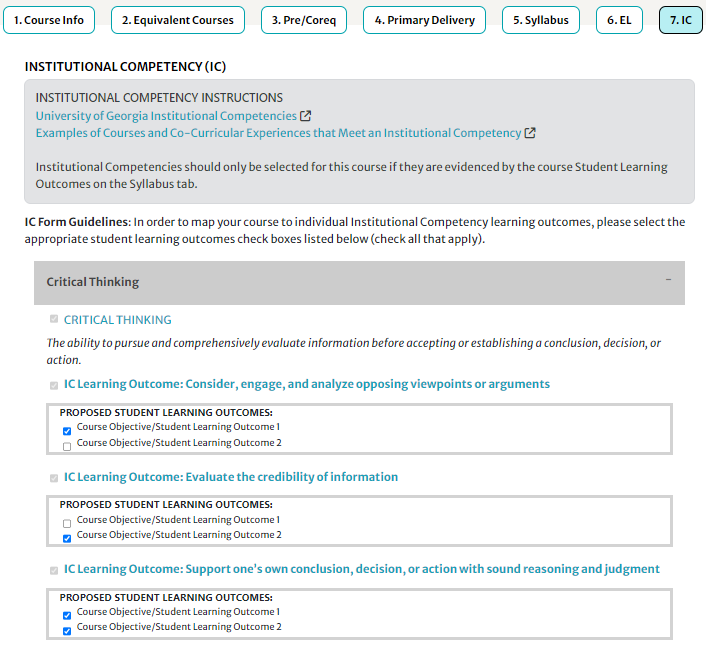
- Click each Institutional Competency to expand it. You'll see IC Learning Outcomes (blue, bolded) with your Course Learning Outcomes (from the Syllabus tab) beneath each.
- Select the checkboxes beside relevant Course Learning Outcomes for each IC Learning Outcome.
- Only select competencies evidenced by the Course Objectives entered on the Syllabus tab. Not all must be selected.
Writing SLOs for Institutional Competencies
The IC Subcommittee reviews primarily the course Student Learning Outcomes (SLOs) in CAPA. Well-written SLOs are critical for IC approval. Questions may be directed to clr@uga.edu or 706-542-6358.
SLO Writing Guidelines from the IC Subcommittee
- SLOs should outline the process of attaining and acquiring the mapped ICs. Use active verbs and words like "by" or "through" to show how students will acquire the ICs.
- Include course-specific content and evidence that supports students in achieving the IC outcomes. If this info was previously in the "Briefly provide examples..." text field, incorporate it into the SLOs instead.
- ICs must be incorporated and achieved explicitly and directly through the course — not indirectly.
- Detail what will make a student successful in acquiring the mapped ICs, and the methods of assessment and feedback that will be used.
- Avoid less measurable terms like "understand," "know," and "gain an appreciation for."
- Incorporate specific language from the relevant ICs and IC Learning Outcomes without simply restating them.
- Avoid jargon, discipline-specific terms, and abbreviations. If necessary, provide definitions.
- Remember that SLOs will appear in the Comprehensive Learner Record (CLR) for students and employers to view.
Visit the Office of Instruction website for detailed information about creating measurable SLOs.
Per-Competency Guidance
Critical Thinking — Focus on: evaluating information to make reasoned judgments, questioning assumptions and considering different perspectives, assessing the validity of analytical findings.
Analytical Thinking — Focus on: breaking down information to understand its structure, identifying patterns, drawing conclusions from evidence, solving problems by interpreting data. Many courses include a quantitative reasoning process (e.g., the Scientific Method). Some include application of methods or theory to problems in the discipline.
Communication — Should achieve the competency through an iterative process with stated opportunities for feedback, corrections, and improvement over time.
Social Awareness & Responsibility — Should demonstrate how the course helps students understand that the world does not revolve around them and gives awareness of other people and how they, as individuals, are situated within and impact other people, communities, and environments. Courses showing effects of people on the environment may be approved; effects of environment on people typically are not. Must be a contemporary application, not just a study of the history of concepts.
Creativity & Innovation — Should demonstrate that creativity and innovation are processes ending with a new or original project or product. For standard academic products like research papers, the weight of evidence is higher than for more original products.
Leadership & Collaboration — Should focus on both learning about leadership and collaboration and providing opportunities to actively lead and collaborate, improving these skills through feedback throughout the course.
Approved Course Examples
ANTH 4075, Economic Anthropology
Approved ICs: Critical Thinking, Analytical Thinking, Communication, Social Awareness & Responsibility
2. Students will decipher quantitative evidence in the form of graphs and statistics that describe income and wealth inequality across case studies.
3. Students will research and write original arguments using peer-reviewed journal articles and proper citation practices.
4. Students will evaluate the ethics of social and economic interactions among people of unequal wealth and power.
ECON 2105, Principles of Macroeconomics
Approved ICs: Critical Thinking, Analytical Thinking, Social Awareness & Responsibility
2. Students will be able to use supply and demand models to analyze cause-effect patterns graphically and numerically.
3. Students will be able to discuss the social and ethical considerations involved in the pursuit of efficiency versus equality.
HIST 2111, American History to 1865
Approved ICs: Critical Thinking, Communication, Social Awareness & Responsibility
2. Students will be able to write stylistically appropriate papers and essays, analyze ideas and evidence, organize their thoughts, and revise and edit finished essays based on both primary and secondary source analysis.
3. Students will be able to identify how U.S. history has shaped diverse social and cultural identities, encouraging them to understand diverse worldviews and experiences.
MILS 3010, Applied Leadership and Management I
Approved ICs: Leadership & Collaboration, Communication, Critical Thinking
2. Students will have the ability to develop others (setting conditions, creating opportunity, providing feedback, and enhancing learning).
3. Students will compose and present a military brief in a clear, concise, and expedient manner.
4. Students will write and discuss peer evaluations on their abilities as a leader and develop insights to give and receive systematic and specific feedback on leader attributes, values, and competencies.
Finalize & Submit
After all required tabs are complete, scroll to the bottom of the page and complete the remaining fields.
Originator of Request

All curriculum requests must be originated by faculty members. If someone else is entering the information, enter the name of the responsible faculty member. Deans and department heads certify that budgeting and staffing arrangements have been or are being made.
Comments — if applicable
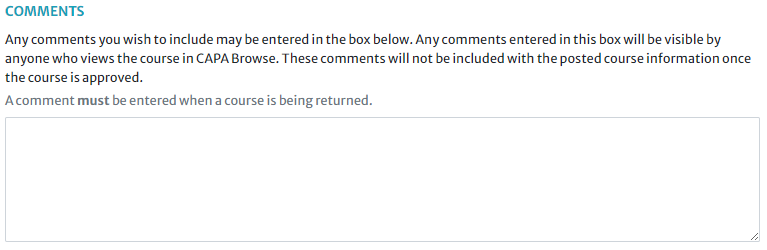
Visible throughout the approval process. Any changes made during approval must be noted here. If returned, comments explaining why are required. Comments do not appear on the approved version or in the Bulletin.
Effective Semester
The semester the proposal becomes effective in Banner for registration. The effective date of new course and course change proposals is dependent on the date of full approval in CAPA.
Preview & Share
View Proposal in New Window
Preview without text boxes. Allows printing.

Copy Link
Click the icon in the top-right corner to share the in-progress proposal at the Initiator level. Once submitted, viewable in CAPA Browse.

Save or Submit
Department within a School or College
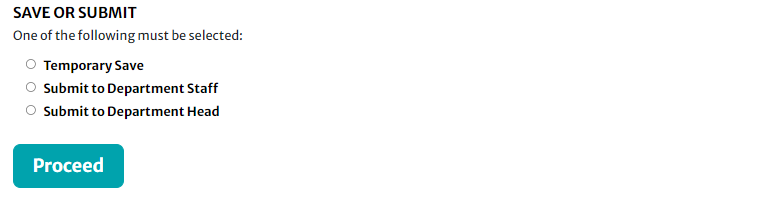
- Temporary Save — only the initiator can view
- Submit to Department Staff
- Submit to Department Head
School or College
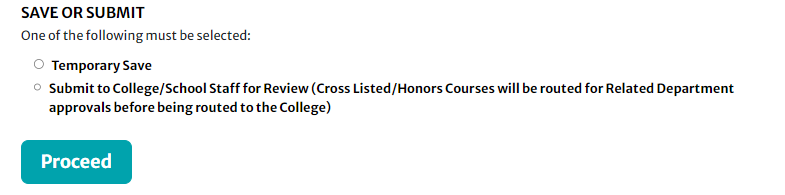
- Temporary Save — only the initiator can view
- Submit to College/School Staff